
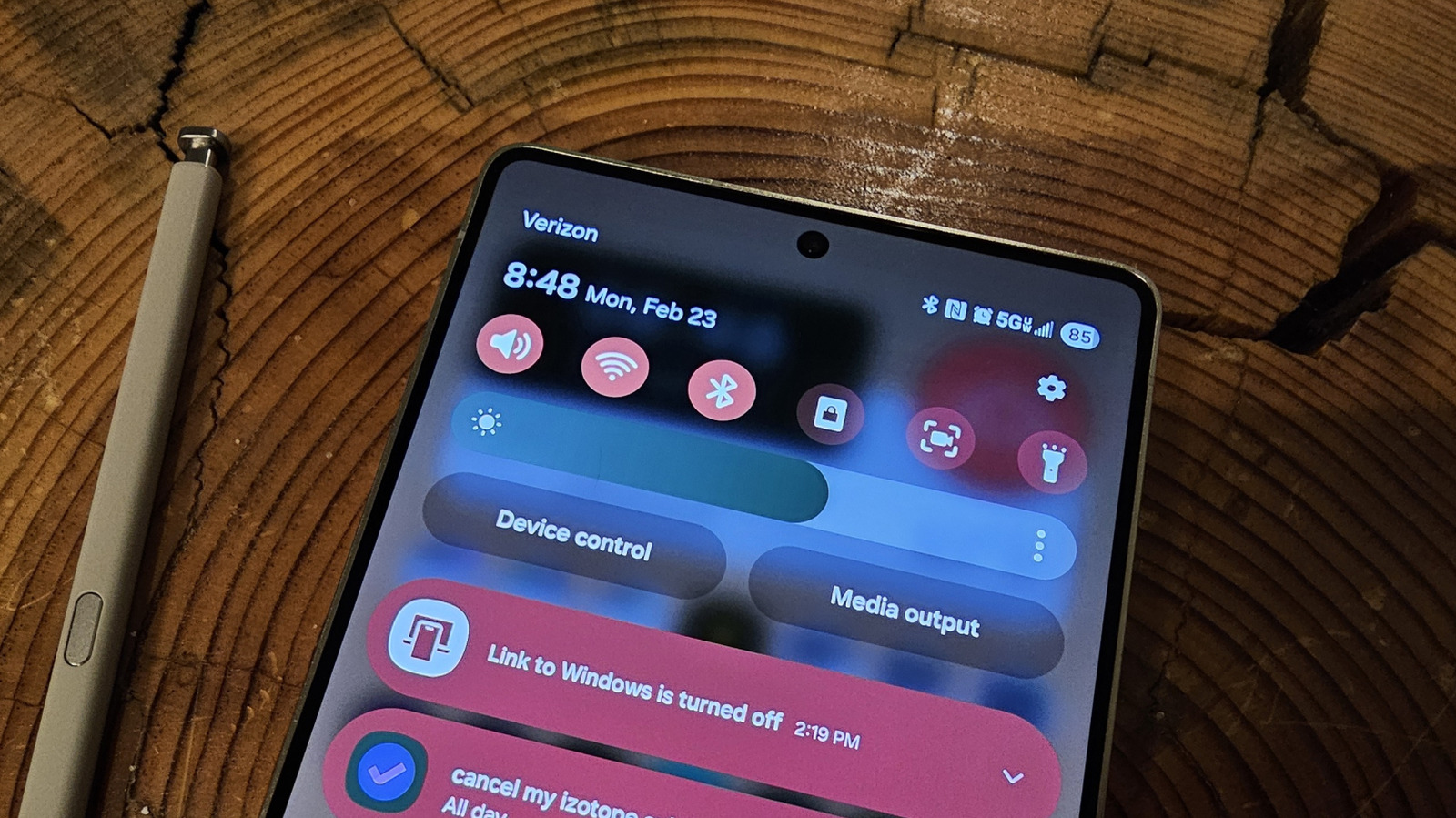
This short guide explains the mystery of the small “N” icon that can show up on Android phones, what it means, when it appears, and how to control it so it stops surprising you during the day.
If you spot a tiny N in your status bar, it usually points to one thing: NFC is active. NFC stands for Near Field Communication, a simple short-range radio tech that lets phones swap small bits of info when they touch or come very close to another NFC device. That single-letter icon is your phone’s quiet way of saying it’s listening for a tap.
NFC is handy for quick tasks like paying with your phone, sharing contact cards, or connecting with other devices. When the N icon appears, it means the antenna is powered and ready, not that data is being shared non-stop. The phone only exchanges information when you deliberately tap or bring it near another compatible device or terminal.
Different manufacturers may style the N icon a bit differently, but the purpose stays the same across most Android models. Some phones show the letter in the top bar, while others tuck a small N into the quick settings panel. If you ever get curious about an unfamiliar symbol, checking the quick settings or the notifications shade usually clears things up fast.
Turning NFC off is straightforward and gives you control if you prefer not to have it on by default. Open the settings app, head to the connected devices or network section, find the NFC toggle, and switch it off. That removes the N from your screen and stops the phone from reacting to nearby tags and terminals until you enable it again.
There are situations where keeping NFC enabled makes sense, especially if you use contactless payments or frequently share files with nearby devices. For people who rarely use those features, leaving NFC off conserves a tiny bit of battery and reduces the surface area for accidental interactions. It’s a personal choice and easy to flip whenever your needs change.
Privacy concerns about NFC get mentioned from time to time, but the risk is low when standard precautions are in place. NFC works at very short ranges, and most payment apps require authentication before completing a purchase. Still, disabling NFC when you’re not using it is a sensible, no-fuss way to minimize any theoretical exposure.
If the N icon appears alongside other symbols or a notification, it can be a clue that a particular app is using NFC features. Some apps ask for permission before they use NFC, and others only appear in the transfer moment. Watching the notification shade during a tap will show whether an app is actively handling the exchange.
For troubleshooting, restarting your phone often clears a ghost icon if it lingers after you think you turned NFC off. If the symbol persists, double-check the system settings and any device-specific toggles in the manufacturer’s control panel. In rare cases, a software update alters how icons are displayed, so keeping your system updated is a good move.
Beyond the status indicator, learning when NFC is useful saves time: contactless payments, quick Bluetooth pairing, reading NFC tags for door access or product info, and fast sharing between phones. The N is basically a tiny promise: the phone is ready to hand off a few bytes as soon as you say go with a tap.
For people who like to customize, some Android launchers and manufacturer skins let you hide certain status icons, including NFC. If you prefer a cleaner status bar, explore those display settings or the quick settings customization. Just remember hiding the icon does not disable the feature, so turning off NFC in settings is the only way to fully deactivate it.
In short, the N icon is short, simple, and useful: it tells you your phone’s NFC radio is active and ready. You can leave it on for convenience, toggle it off when you want peace of mind, and check the quick settings anytime for a clear explanation. Once you know what it means, the mystery is gone and your phone stops surprising you with unexplained symbols.
