
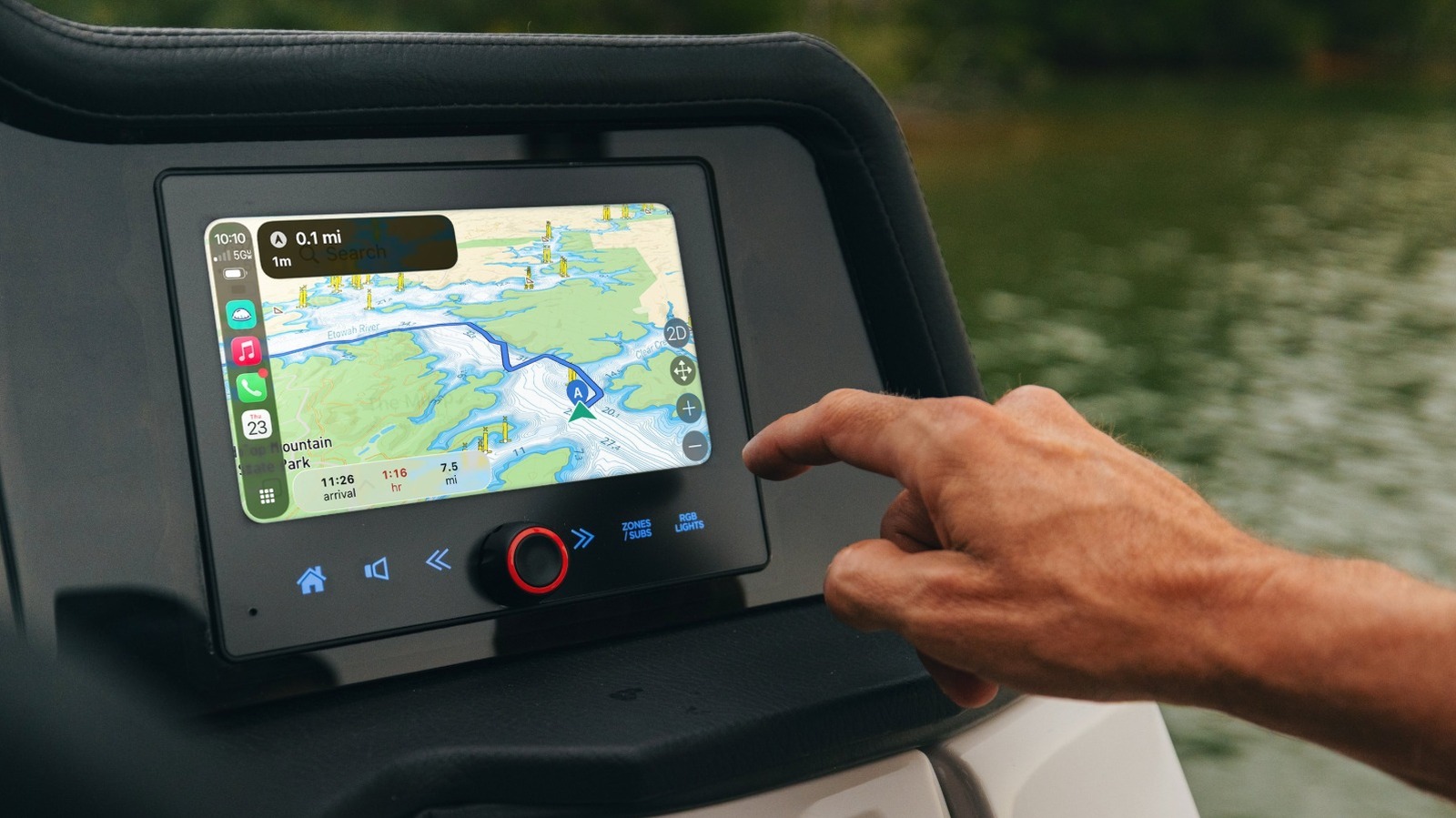
Apple CarPlay and Android Auto are moving beyond the dashboard and onto the water, giving boaters a smarter way to handle navigation, route planning, and on-the-fly adjustments. A new partnership between MasterCraft Boat Holdings and Savvy Navvy is bringing those familiar phone-based tools to select Crest Marine and Balise Pontoons models, with the feature set to arrive as standard on certain 2027 boats. For boaters who want less fuss and more clarity at the helm, that is a pretty big deal.
- CarPlay and Android Auto reaching marine navigation
- MasterCraft’s partnership with Savvy Navvy
- Helm display access to charts and route planning
- Real-time location, traffic, and trip details
- Requirements for using the feature on board
- Why the setup matters for safety and convenience
The appeal is easy to see. Many drivers already know how comfortable CarPlay and Android Auto feel in a car, and that same simplicity is now showing up on the water, where good navigation matters even more. Instead of juggling clunky menus or bouncing between systems, boaters can lean on the apps they already understand.
Savvy Navvy is doing the heavy lifting here, and it is not just a basic map view. The app includes Savvy Charts in day, night, satellite, 2D, and 3D formats, which gives captains a lot of flexibility depending on the conditions and the kind of trip they are making. That kind of visual range can make a huge difference when the water gets busy or the weather turns.
Route planning is another major win. A trip can be mapped out at home on the couch or right from the helm, and the path shows up on the display without extra steps or awkward syncing. That means less time fiddling with a screen and more time paying attention to the boat, the water, and everything happening around it.
Once underway, the system keeps feeding useful information in real time. Boaters can check live ETA estimates, speed, remaining distance, and remaining travel time, all from the same place where music and calls are handled. Nearby boat traffic can be turned on or off, and that adds another layer of awareness when navigating crowded waterways or approaching a marina.
The practical tools do not stop there. Users can search for harbors, marinas, and other destinations, look up nearby depth readings, and save location markers for future runs. That makes the helm display feel less like a gadget and more like an all-in-one command center for trips that used to require a lot more guesswork.
For boaters, the convenience is obvious, but the broader shift matters too. Marine technology has often lagged behind the slick simplicity people expect from their phones, and this kind of integration helps close that gap fast. When navigation, communications, and entertainment live side by side on one screen, the whole ride feels cleaner and more modern.
Getting started still depends on a few basics. A mobile device with the Savvy Navvy app is required, along with an active Premium or Premium+ subscription, plus either one of the new compatible MasterCraft boats or an aftermarket marine head unit that supports the feature. Once those pieces are in place, setup is fairly straightforward and the system is ready to go.
With the phone connected, the process is simple enough: open the CarPlay or Auto app, select Savvy Navvy, and the route data appears on the boat’s display. Offline chart downloads are also available for trips where signal strength might fade, which is a smart touch for long days on the water. Routes created on the phone and routes created at the helm stay in sync, so there is less room for confusion when plans change mid-trip.
That kind of flexibility is especially useful for newer boaters who may still be building confidence. Even seasoned captains can appreciate a cleaner interface, faster access to charts, and fewer hassles when moving between planning and execution. In a setting where quick decisions matter, a system that feels familiar can calm the noise and keep attention where it belongs.
