
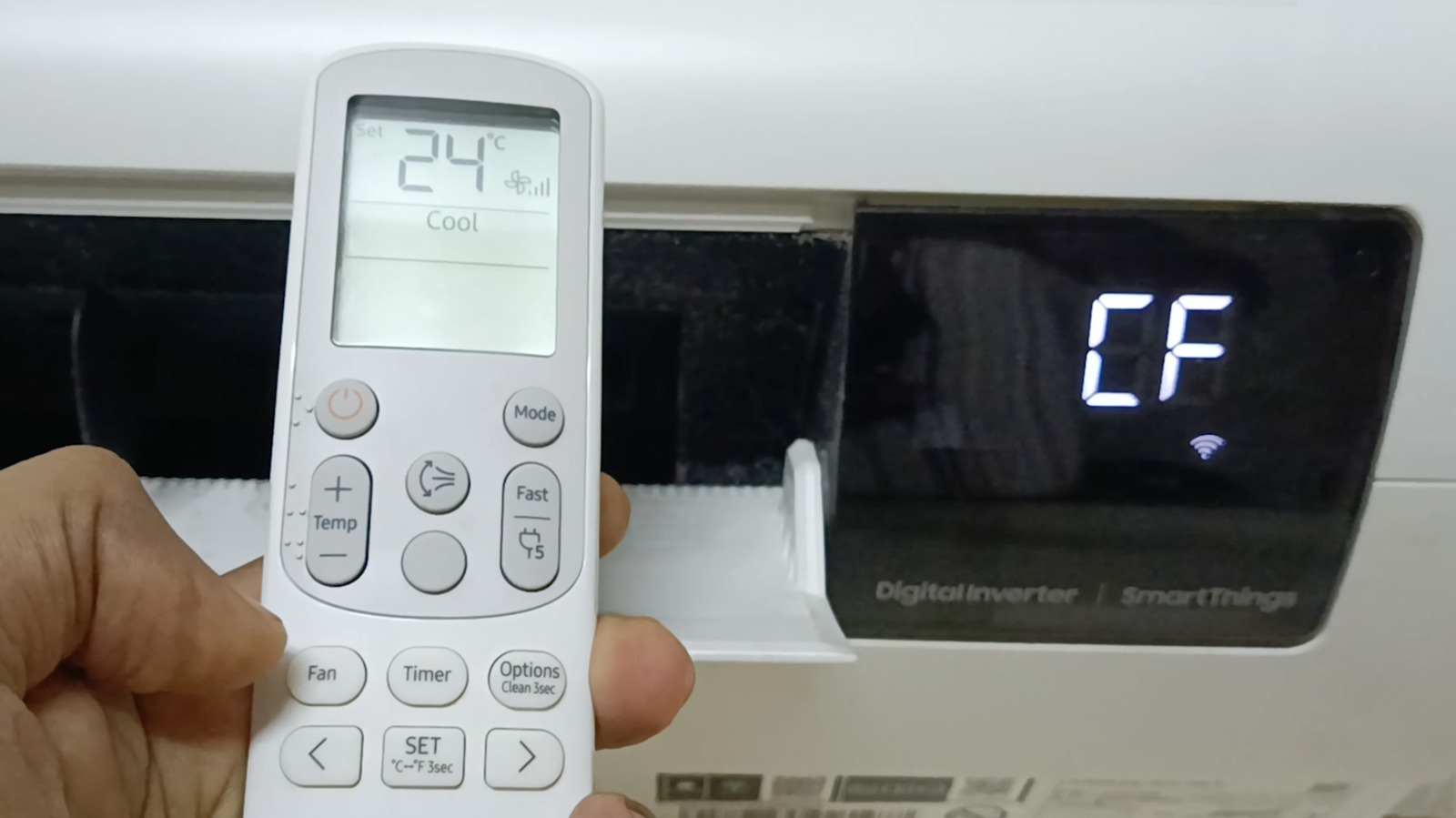
When an AC suddenly flashes CF, it can feel like the machine is trying to speak in riddles. In most cases, though, it is just warning you that the filter needs attention, not that the whole system is on the verge of collapse. Depending on the brand, CF can mean Clean Filter, Change Filter, or even something tied to wireless setup, so the exact message matters.
On a lot of popular units, CF is basically a maintenance reminder with a little attitude. Samsung often uses it to say the indoor air filter is dirty, while DeLonghi may use the same code to mean the filter should be replaced. The point is simple: the AC wants you to keep air moving freely so it does not have to work overtime.
That filter reminder is worth taking seriously because a clogged filter drags down performance fast. When dust builds up, airflow drops, cooling gets weaker, and the system has to push harder to do the same job. Over time, that extra strain can shorten the life of the unit and make your energy bill creep upward for no good reason.
Not every CF code is about dust, though, and that is where people get tripped up. Some TCL air conditioners use CF as part of their Wi-Fi connection setup, and Friedrich window units may show it during wireless pairing too. In those cases, the letters are not a warning at all, but a sign the unit is in configuration mode.
If your AC uses CF as a filter reminder, clearing it is usually easy once the filter is cleaned. Pull the filter out, knock off the dust, vacuum it if needed, rinse it gently, and let it dry completely before sliding it back in. The trick is remembering that cleaning the filter and clearing the display are not always the same thing.
Samsung owners often need one extra step after the cleaning is done. The reminder may stay on until you go into the Options menu on the remote, find Filter Reset, and press it to erase the code. Without that reset, the AC can stay stubbornly stuck on CF even though the filter is already spotless.
For TCL units, the process works differently because the code is connected to wireless pairing rather than maintenance. On many models, pressing Display on the remote six times and waiting a few seconds brings up CF, often after a double beep. That means the code is being used on purpose, which is why it should not be treated like an error to clear.
Other brands use their own shorthand, so the letters on the screen can shift from one company to another. Midea, for example, may use CL for a filter-cleaning reminder and nF when the filter needs replacing instead. Once you start looking around, it becomes obvious that AC brands love inventing their own little code languages.
Of course, not every alert on an air conditioner is harmless housekeeping. Codes in the E and P families often point to genuine trouble, like a bad temperature sensor or a drainage issue. An E1 or E2 can signal a sensor problem, while some P codes may mean the drain pan is full or a pressure switch has been triggered.
That is why it helps to pay attention instead of brushing the message off as random noise. A CF tied to a dirty filter is usually a quick fix, but a code tied to sensors or pressure can turn into a real headache if ignored. The display is basically giving you a clue, and the sooner you read it correctly, the better chance you have of keeping the AC steady and the room comfortably cool.
