
If you’ve been assuming a Raspberry Pi is the only cheap, compact way to tinker, this piece will show when a mini PC makes more sense. You’ll get a clear look at performance, compatibility, power and use cases so you can choose the right tiny machine for real-world projects. No hype, just the practical differences that matter when you want something reliable, fast, and ready out of the box.
Raspberry Pi earned its stripes by being tiny, affordable, and incredibly hackable. It’s perfect for learning hardware basics, running lightweight services, or building a one-off gadget. But the Pi’s strengths also come with tradeoffs that matter once a project leans on heavier workloads or longer-term reliability.
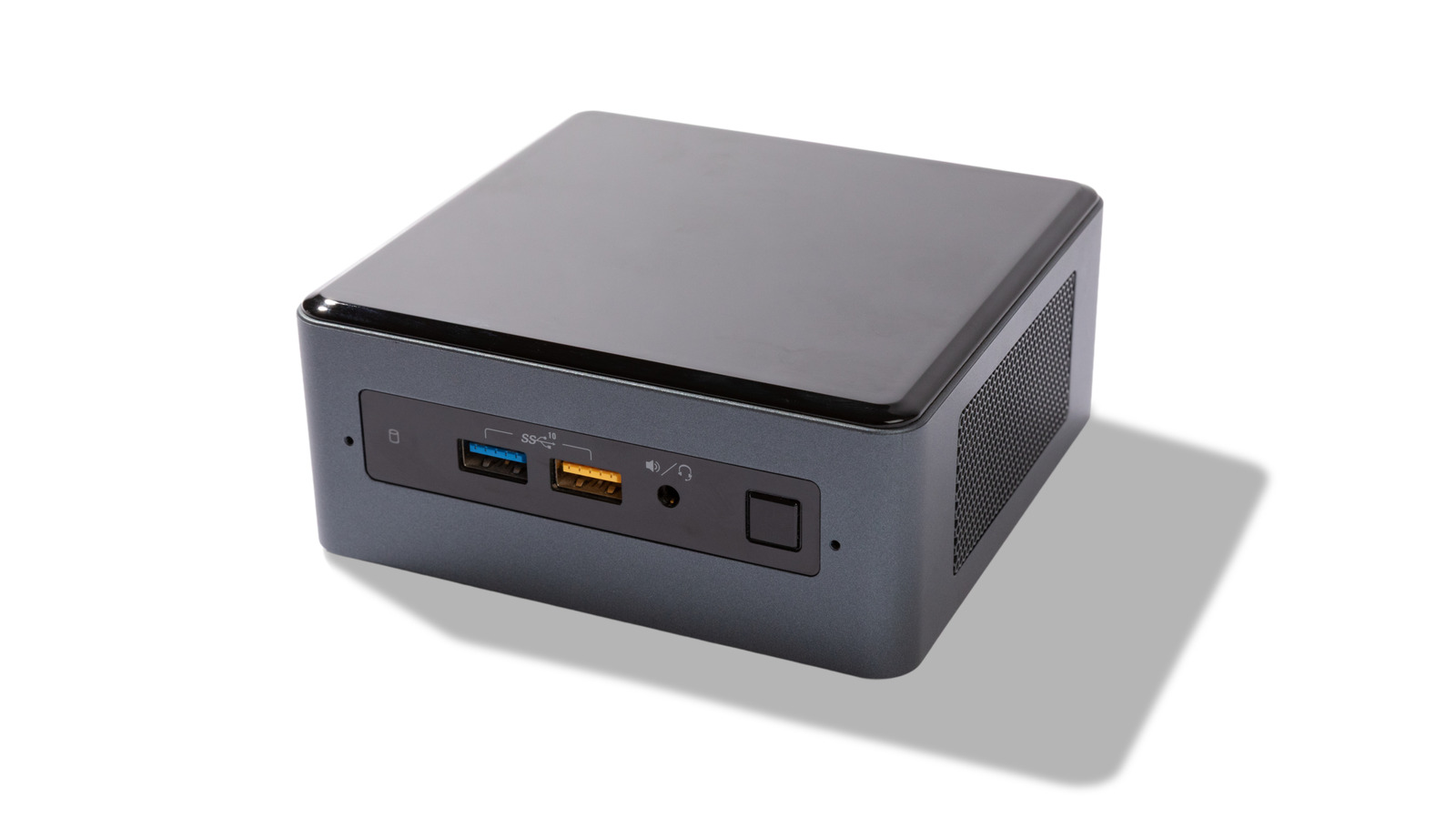
A mini PC is essentially a compact desktop squeezed into a shoebox size case, and that changes expectations. You get full x86 compatibility, which means mainstream operating systems and software run without workarounds. If you need Windows apps, heavier Linux packages, or straightforward virtualization, a mini PC removes those stumbling blocks.
Performance is the headline difference. Modern mini PCs use laptop-class CPUs and support more RAM and storage options than a Pi. That extra muscle translates into smoother multitasking, faster compilation, better emulation, and more headroom for background services. The Pi is efficient for specific tasks, but it can struggle when projects scale up.
Storage and I/O are another practical gap to consider. Mini PCs typically include SATA or NVMe slots and multiple USB ports, offering real SSD speeds and robust external device support. A Pi relies on microSD cards or external drives that can bottleneck performance and wear out faster. For anything data-heavy, mini PCs offer a more solid foundation.
Connectivity and peripherals also favor the mini PC in many setups. You’ll often find gigabit Ethernet, faster Wi-Fi, multiple display outputs, and full-size USB ports ready for keyboards, webcams, and audio interfaces. That means less fiddling with adapters and less chance of hitting hardware limits mid-project.
>
While Raspberry Pi is nearly synonymous with DIY computer projects or a home server, a mini PC can often do just as well, and in these cases, even better.
Cooling, noise and longevity matter when a device runs 24/7. Mini PCs usually have better thermal designs and, in many cases, active cooling that handles sustained loads without throttling. The Pi’s tiny form factor makes thermal tuning trickier, which can reduce performance under constant heavy use.
Power draw is a double-edged sword. Raspberry Pi is famously low-power, which is great for battery projects or constrained environments. But some mini PCs are impressively efficient too and can offer better performance-per-watt for heavier tasks, making them a smarter choice for always-on servers that need to do more work.
Software support and community resources are strengths of both camps, but they differ in tone. Raspberry Pi has massive community-driven projects and tutorials tailored to its unique hardware quirks. Mini PCs benefit from broader desktop and server ecosystems, meaning official driver support and straightforward installation of mainstream applications.
Cost comparison depends on your needs. A basic Pi is cheap, but add a case, cooling, power supply, and quality storage and the price gap narrows quickly. Mini PCs often cost more up front, but they bundle more capabilities into one package, so the total system can be more economical for complex or long-lived setups.
Use cases help decide the winner. For a classroom, hobbyist project, or a tiny sensor controller, the Pi’s simplicity is unbeatable. For a compact office workstation, a local media server streaming multiple 4K streams, or running Docker containers and VMs, a mini PC usually delivers a smoother, less fiddly experience.
Ultimately, pick based on constraints, not mystique. If you prize absolute minimal cost, education, or a specific GPIO-based build, the Raspberry Pi remains a fantastic choice. If you want out-of-the-box compatibility, higher sustained performance, easier storage, and a more plug-and-play feel, a mini PC is often the smarter route.
There’s no single correct answer for every tinkerer. The best tiny computer is the one that stops getting in your way and lets the project shine. Match your tool to the job and you’ll save time, frustration, and maybe even money in the long run.
