
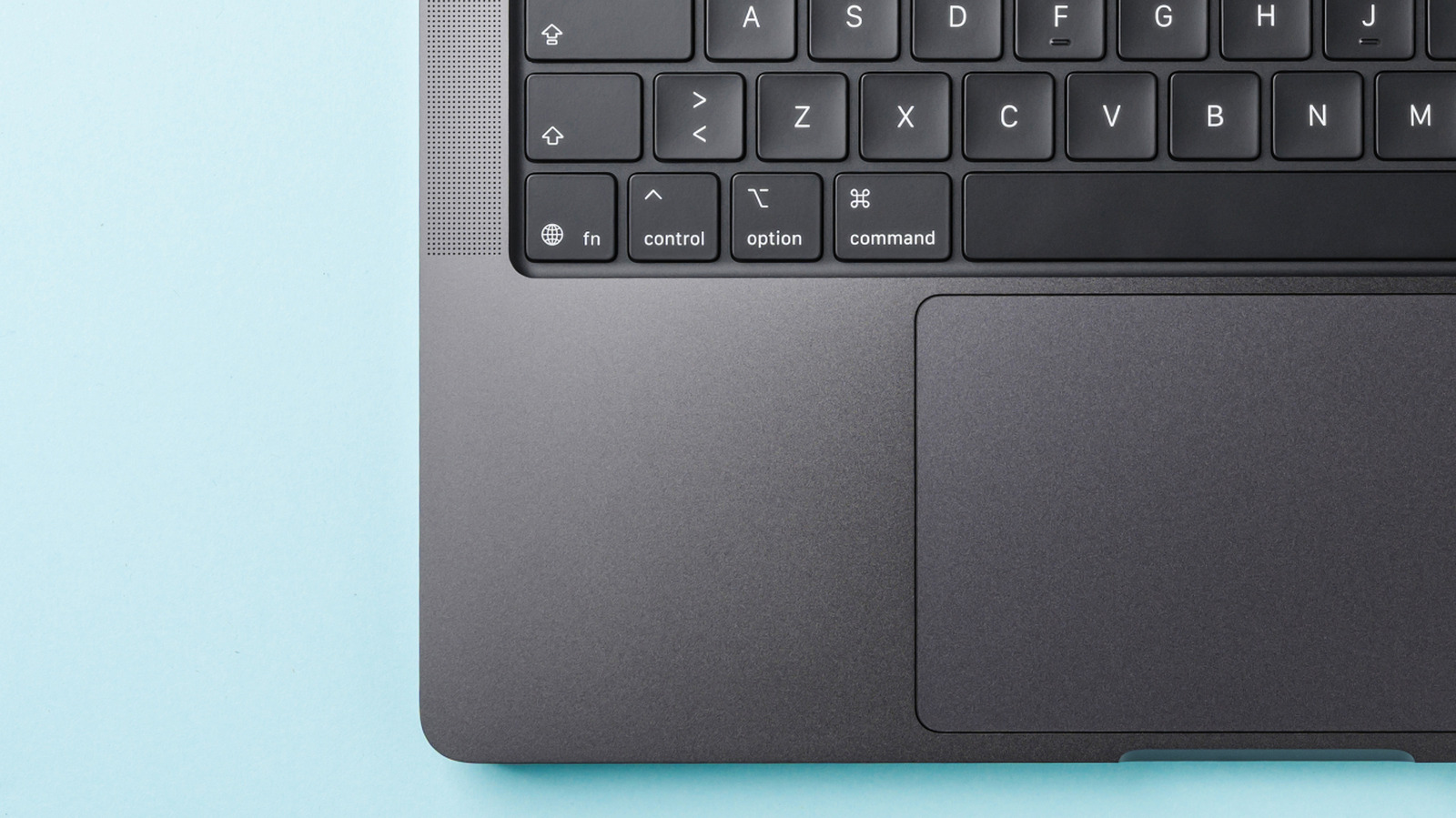
The globe symbol on an Apple keyboard is more useful than it first looks. It is Apple’s version of the Fn, or Function, key, and it opens the door to extra controls, quick commands, and system tools that make a Mac or iPad easier to use.
On many keyboards, this kind of key is simply labeled Fn. Apple swaps in the globe icon instead, but the job stays the same: it acts as a modifier that changes what other keys do. That small difference in labeling has made plenty of users pause for a second, even though the idea behind it is straightforward.
Apple usually places the key in the bottom-left area of the keyboard, close to Control, Option, and Alt. The exact layout can vary depending on the model, but it is generally found in that familiar corner where other modifier keys live. Once spotted, it becomes one of the handiest keys on the board.
Most people run into the globe key while using the top row of function keys. Those keys often control things like brightness, volume, media playback, Mission Control, and Spotlight, and the globe key helps switch between those special actions and their standard function-key roles. That makes it a quiet little multitasker, especially for anyone who likes shortcuts.
The key is not limited to the top row, either. Apple builds in a set of globe-key combinations that can trigger system features, and those shortcuts can make navigating the Mac feel faster and less fiddly. Pressing Fn-A can show or hide the Dock, Fn-C can toggle Control Center, Fn-D can start or stop dictation, and Fn-N can open or close Notification Center.
Those shortcuts are handy, but they are not perfectly identical across every Mac, iPad, app, or software version. Some functions depend on the operating system, keyboard settings, or whether an app overrides the shortcut for its own use. That means the globe key is powerful, but it is also a bit shape-shifting depending on where it is being used.
For users who prefer a more traditional setup, macOS can usually be adjusted so the top row behaves like standard function keys without needing the globe key first. That option matters for people who rely on F1 through F12 for work, games, or specific apps and do not want an extra step in the way. Apple gives enough flexibility to make the keyboard feel custom without changing its physical layout.
The globe symbol also fits neatly into Apple’s broader habit of making hardware look clean while still hiding a lot of utility underneath. At a glance, it may seem like a decorative icon, but it is really a gateway to navigation, accessibility, and system control. Once users learn what it does, the key stops being mysterious and starts feeling like one of the most practical buttons on the device.
